Booking accommodation with the Edvisor Accommodation Marketplace
Last updated: October 1, 2026
With the Accommodation Marketplace, you can book homestays and apartments for your students directly in Edvisor. You don't need to go through a school or manage your own partnerships with accommodation providers. Every booking is created, paid for and managed in Edvisor, alongside the students, quotes and sales you already work on. You earn $100 CAD on every booking.
Where it's available
Currently, homestays and apartments are available in Vancouver and Toronto. We're adding accommodation in the UK, Australia, Malta and Ireland next.
Types of listings
Homestays and most apartments show the kind of home you'll get, such as "a single bedroom with a private bathroom outside downtown Vancouver", and its price. After you send the booking, the provider shares the host families or apartments that match, at the same price. You and your student choose one.
Some apartments name the building. You'll see the building, its photos and its price. The room number is assigned later, and every room in the building matches the description.
Each listing's description shows its minimum stay.
Finding and booking accommodation
From the Search menu. Go to Search → Accommodations. From any result, you can:
book it right away
add it to an existing quote
start a new quote with it
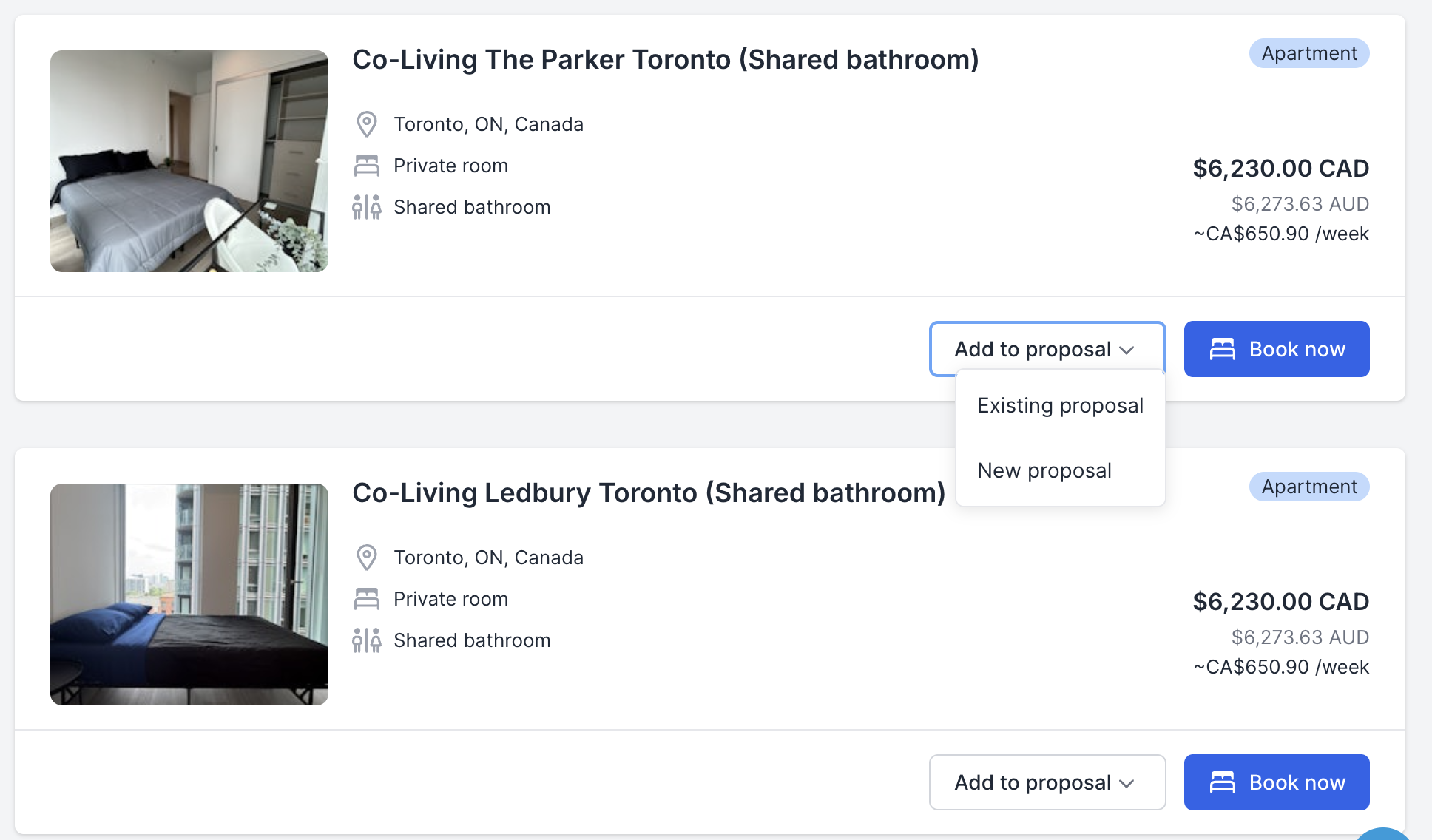
From a quote. When you edit a quote for a course in Vancouver or Toronto, Edvisor suggests matching accommodation automatically, and you can search for more. You can still add accommodation from your own portfolio or from the school, as before.
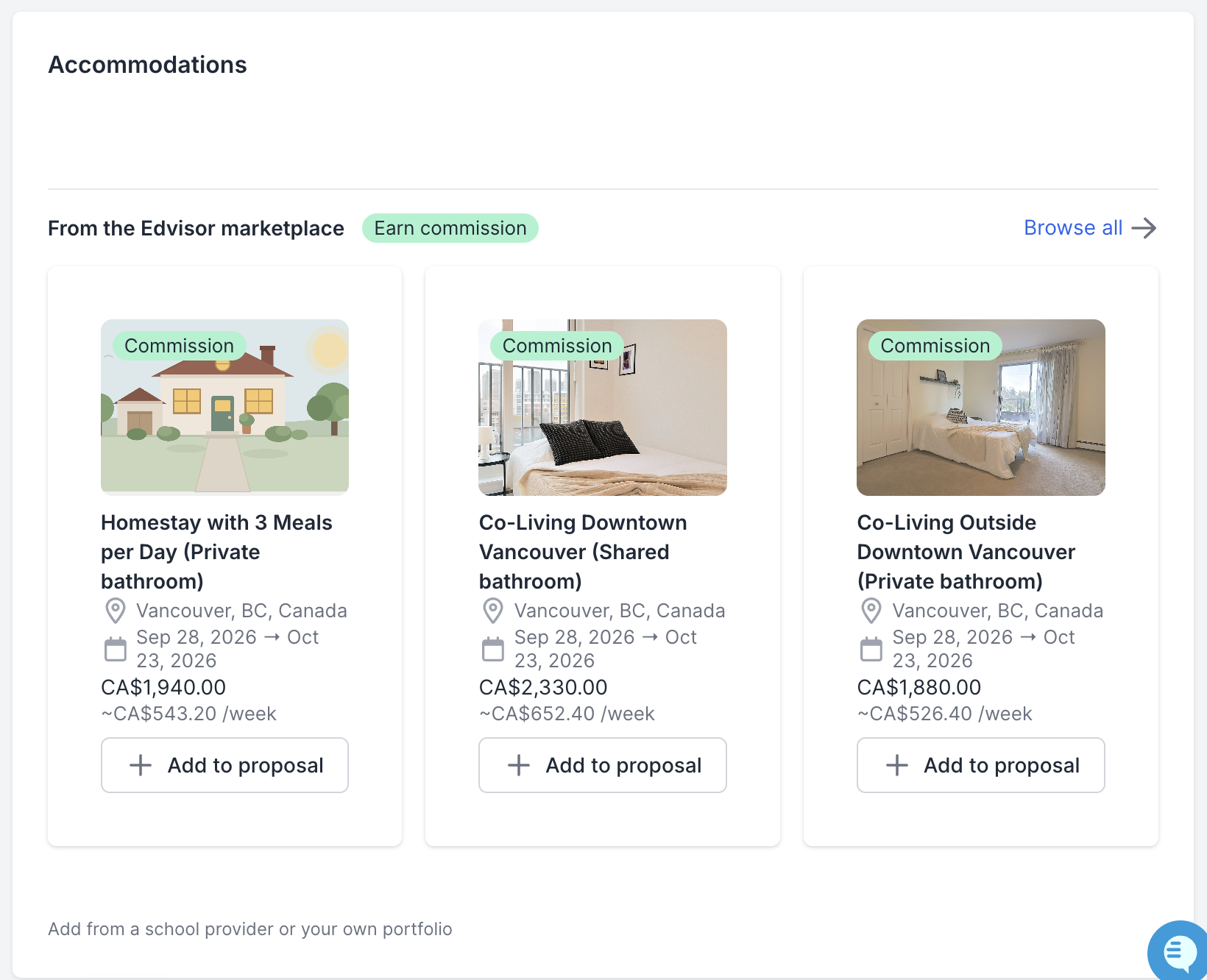
From an accepted quote or a sale. Once your student accepts a quote, you can start the accommodation booking straight from the quote page. You can also add marketplace accommodation to a sale and book it from the sale page.
Choosing a home and talking to the provider
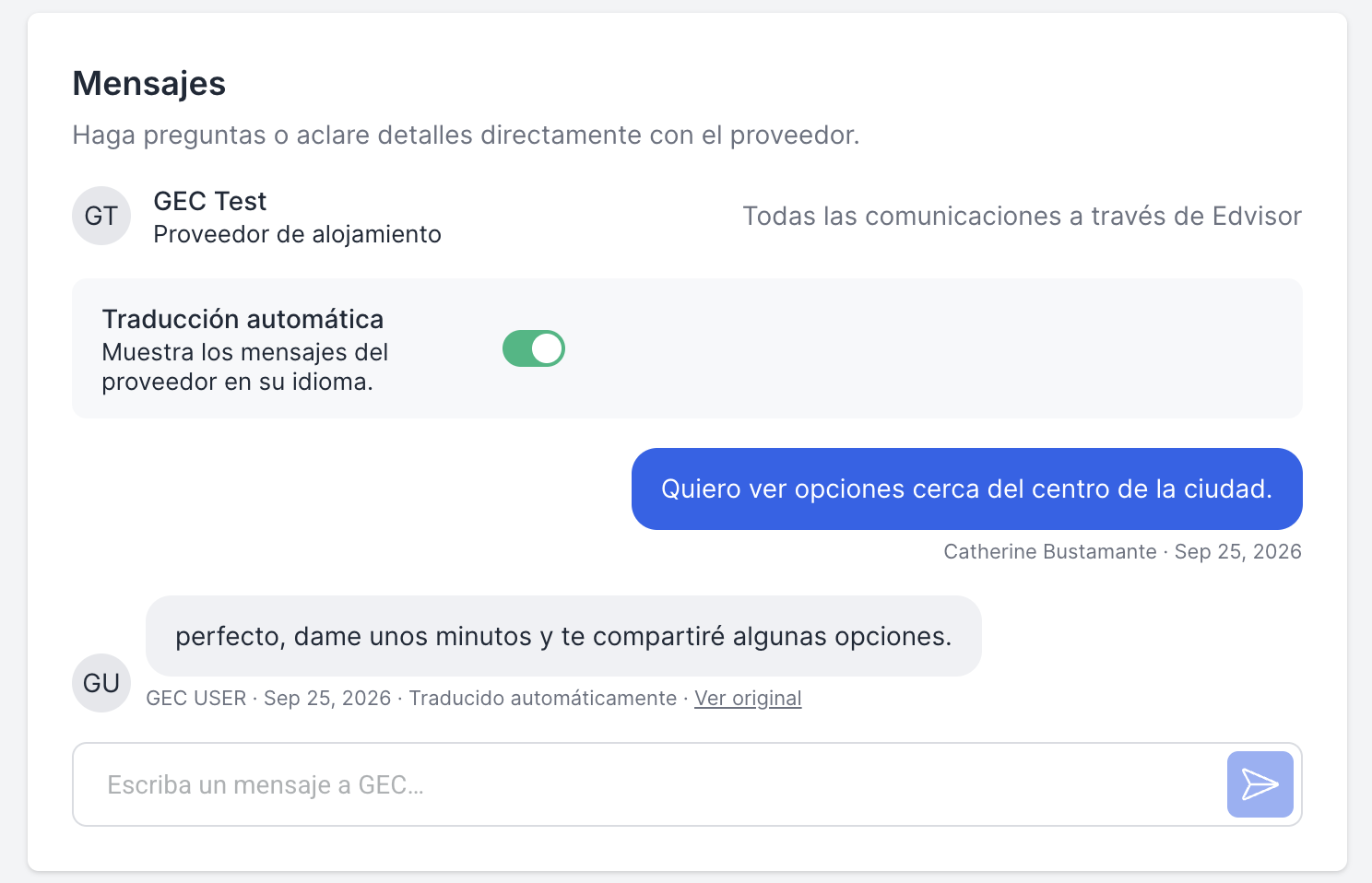
After you send a booking, you can message the provider directly from the booking in Edvisor. Every conversation stays with the booking and its student, so there are no email threads to keep track of. Providers usually reply within 2 hours.
Messages are translated automatically in both directions. Write in your own language, and read the provider's replies in it too.
Homestays: the provider sends you the available host families, and you and your student choose one.
Apartments: the provider sends you the matching units, with photos, and your student chooses one.
Confirming and paying for a booking
Send the booking. Nothing is due yet.
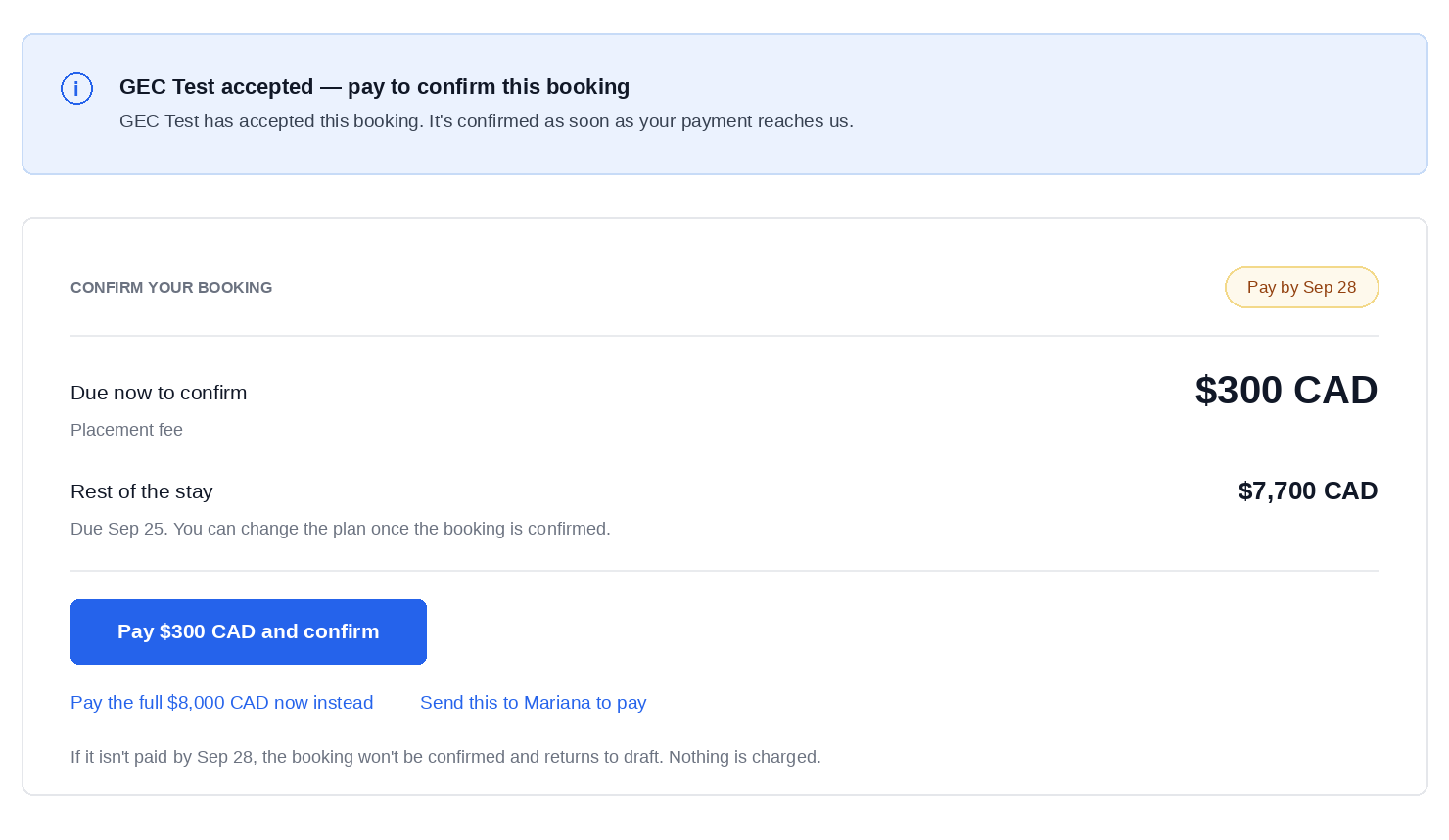
The provider accepts. You'll get a notification, and you then have 24 hours to make the first payment and confirm the booking. The booking page shows the exact deadline. If the first payment isn't made in time, the booking goes back to draft, and you can send it again.
Make the first payment. You can pay either the $300 CAD placement fee, which secures the booking, or the full amount for the stay.
If you pay only the placement fee, you can pay the rest of the stay in either of two ways:
In one payment, or
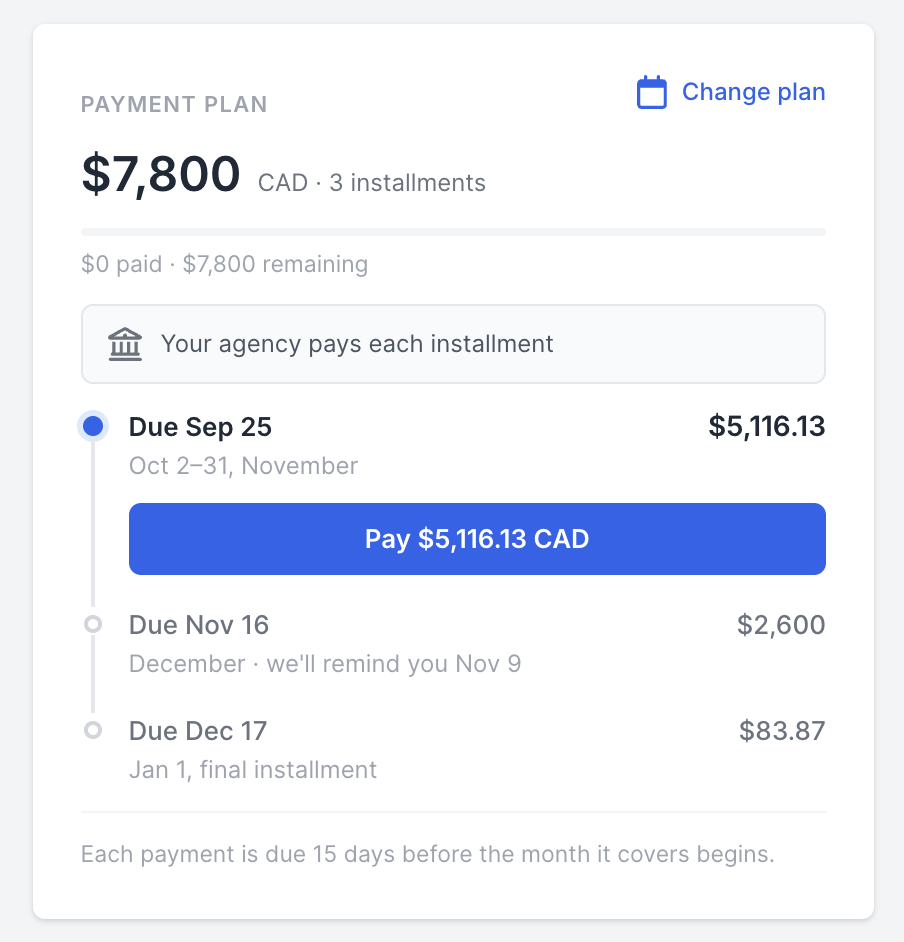
Monthly, like rent. Each month's payment is due 15 days before that month starts. For a stay starting in December, the December payment is due in mid-November, and so on until the end of the stay.
Your booking page shows every payment and its due date.
Who pays
For each payment, you choose whether your agency pays or you send your student a payment link so they pay Edvisor directly. Monthly payments are only available when your agency is paying. A student pays the balance in one payment. You can always choose to pay as the agency instead.
How to pay
Payments are processed securely by our payment partner, TransferMate. You can pay by credit card or bank transfer. For agencies in Brazil, only bank transfer is available at the moment.
All payments are made to Edvisor, not to the accommodation provider.
Cancellations and refunds
Accommodation providers offer flexible cancellation policies. If your student decides not to go ahead and you cancel before the stay starts, the stay is generally refunded, less the placement fee. The exact terms depend on the provider.
The $300 CAD placement fee is non-refundable, unless the provider declines or cancels the booking. In that case the placement fee is refunded too.
Because each provider sets its own refund policy, discuss a cancellation or refund with the provider directly, in the booking's messages.
Commission and rewards
Commission: you earn $100 CAD on every booking, as soon as its first payment is made (the placement fee or the full amount). After your first booking, the Edvisor team will contact you to collect your bank account details. Commission is then paid out on the 1st of each month for the previous month. For example, commission earned in October is paid on November 1.
Tracking your commission: for now, you'll see your commission in the monthly payout. We're working on a page in Edvisor that shows the commission you've earned over time.
Edvisor Rewards: every accommodation booking also earns Rewards points. The longer the stay, the more points you earn, and you can see the points on the listing before you book. If a booking is cancelled, its points are removed.
Getting help
Cancellations and refunds: message the provider in the booking's chat. Refund terms depend on the provider, so they can tell you exactly what applies.
Anything else about a booking, such as a payment, a status you're unsure about, or what to do next: contact Edvisor support through the in-app chat.
Frequently asked questions
What happens to the accommodation if my student changes schools? Nothing changes. The booking is made directly with the accommodation provider, not through a school, so it stays exactly as booked.
Can I still book accommodation through the school or my own providers? Yes. The marketplace is an extra option, and everything you did before still works.
What if I miss the 24-hour payment deadline? The booking goes back to draft. Nothing is lost: you can send it again, although the home may no longer be available.
Is the accommodation vetted? Yes. Every accommodation in the marketplace has been vetted by Edvisor.